“The package could not be installed” error
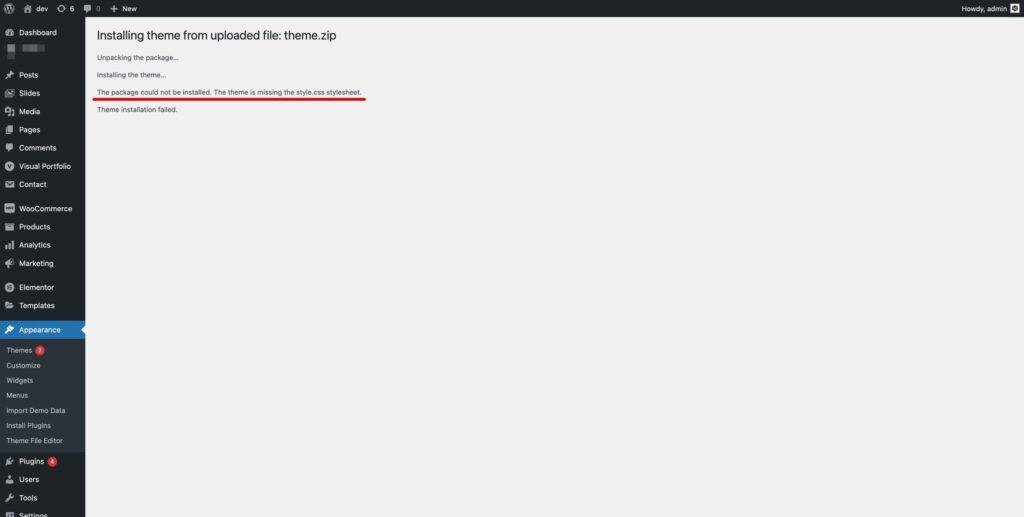
A common issue when installing a WordPress theme is the “The package could not be installed. The theme is missing the style.css stylesheet.” error while uploading or activating the theme.
In almost every case it means the wrong file was uploaded: the full package (theme, child theme, documentation) instead of the installable theme archive.
Gumroad
- Open your Gumroad Library and download the product.
- Unzip the downloaded archive.
- Inside you will find the installable theme file, e.g.
theme-name.zip. Upload only this file in Appearance → Themes → Add New → Upload Theme.
ThemeForest
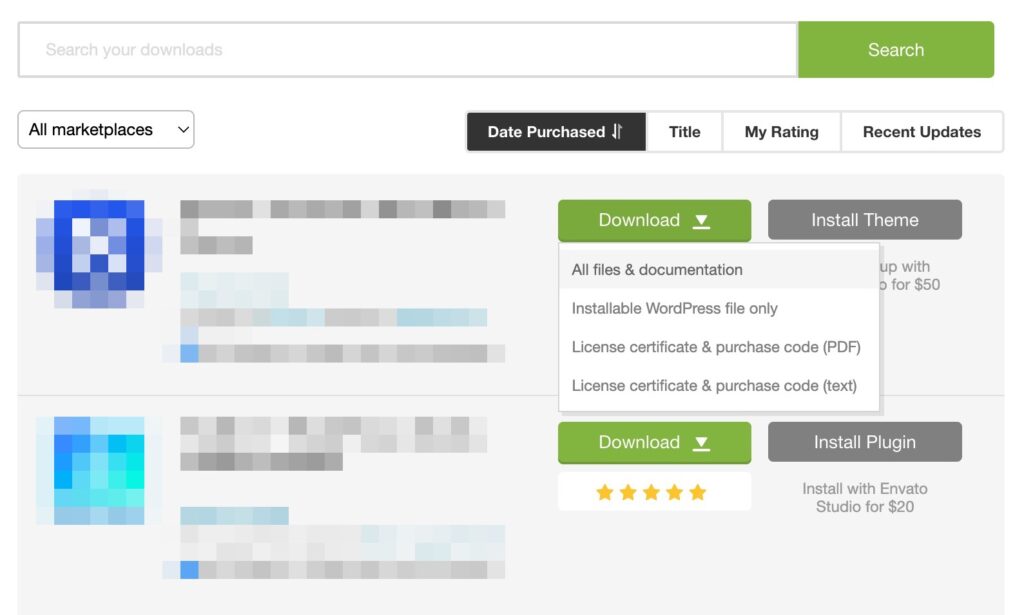
In ThemeForest → Downloads the Download button gives you two options:
- Installable WordPress file only — upload the downloaded zip in WordPress as is.
- All files & documentation — unzip it first; the installable theme zip is inside.
Still getting the error with the right file? Your server may limit the upload size — install the theme via FTP instead.
Was this article helpful?
Thanks for your feedback!
