Page templates and page settings
Change the page template
Page templates change how a page is laid out. They come with the active theme — after switching themes, the old templates are no longer available.
- Quick Edit: go to Pages → All Pages, click Quick Edit under the page, choose a template and click Update.
- In the editor: open the Summary panel, click the template name next to Template and choose another one.
More in the WordPress handbook.
Override global settings for one page
Global settings in Appearance → Customize apply to the whole site. The [Page] Overrides section in the page editor lets one page differ: another header or footer, no page title, a different layout.
The [Page] Overrides section appears after you install Advanced Custom Fields PRO — it is bundled with the theme.
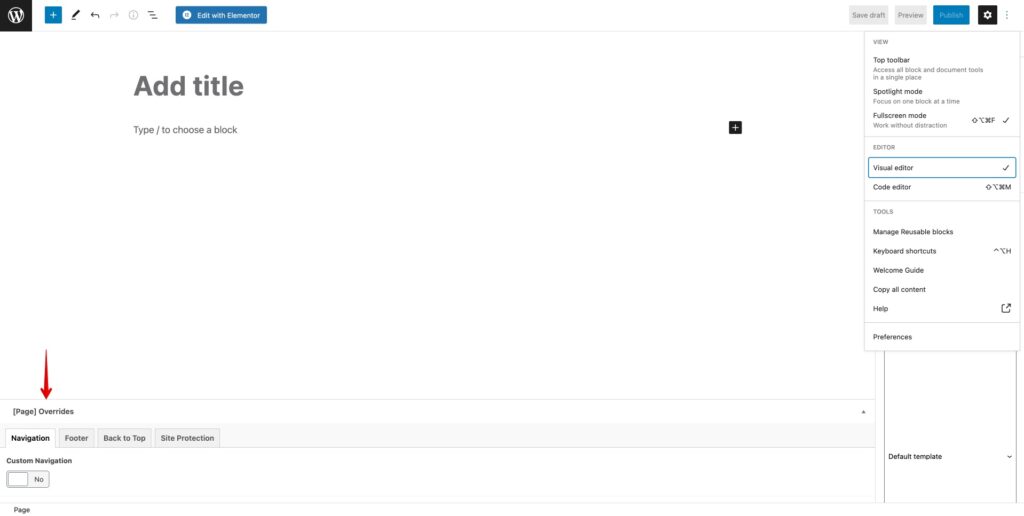
To return the page to the global header or footer, just turn the override off.
Was this article helpful?
Thanks for your feedback!
