Translate the theme
Every text in the theme is translatable. The easiest way is the free Loco Translate plugin.
- Install and activate Loco Translate.
- Go to Loco Translate → Themes → the theme.
- Click New language and choose your language.
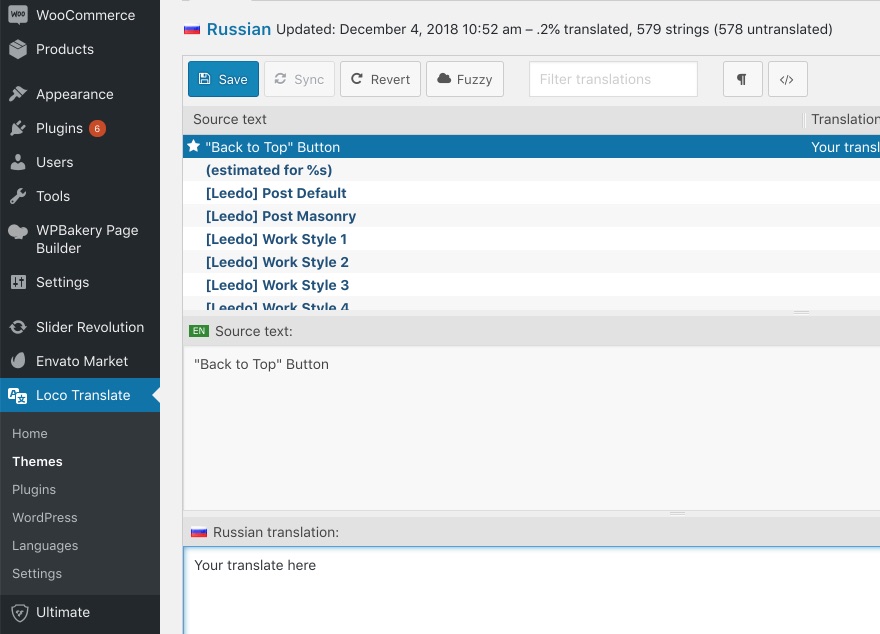
- Select a text from the source list and type its translation below. Save when you’re done.
Prefer a desktop editor such as Poedit? The translation template (.pot file) is in the theme’s languages folder.
Was this article helpful?
Thanks for your feedback!
