
Two months ago we hit a wall that a lot of theme authors will recognize.
We’ve always shipped Contact Form 7 with our themes. It works fine, developers get it, no complaints there. But the second a client opens up that form editor screen, things go sideways. And it’s not because they’re bad with technology – it’s because CF7 genuinely feels like it’s stuck in 2012.
You get a blank text box. You’re supposed to remember tags. There are separate tabs for form, mail, messages – the power is definitely there, but good luck finding any clarity in it. If all someone wants is a name field, email, message, and a submit button, they end up feeling like they’re decoding a puzzle instead of just… editing a form.
Honestly, we got sick of writing the same documentation and support replies over and over, all boiling down to “please don’t touch that part, just change this one label here.” So we decided to just build the thing we wished we could hand to our own users.
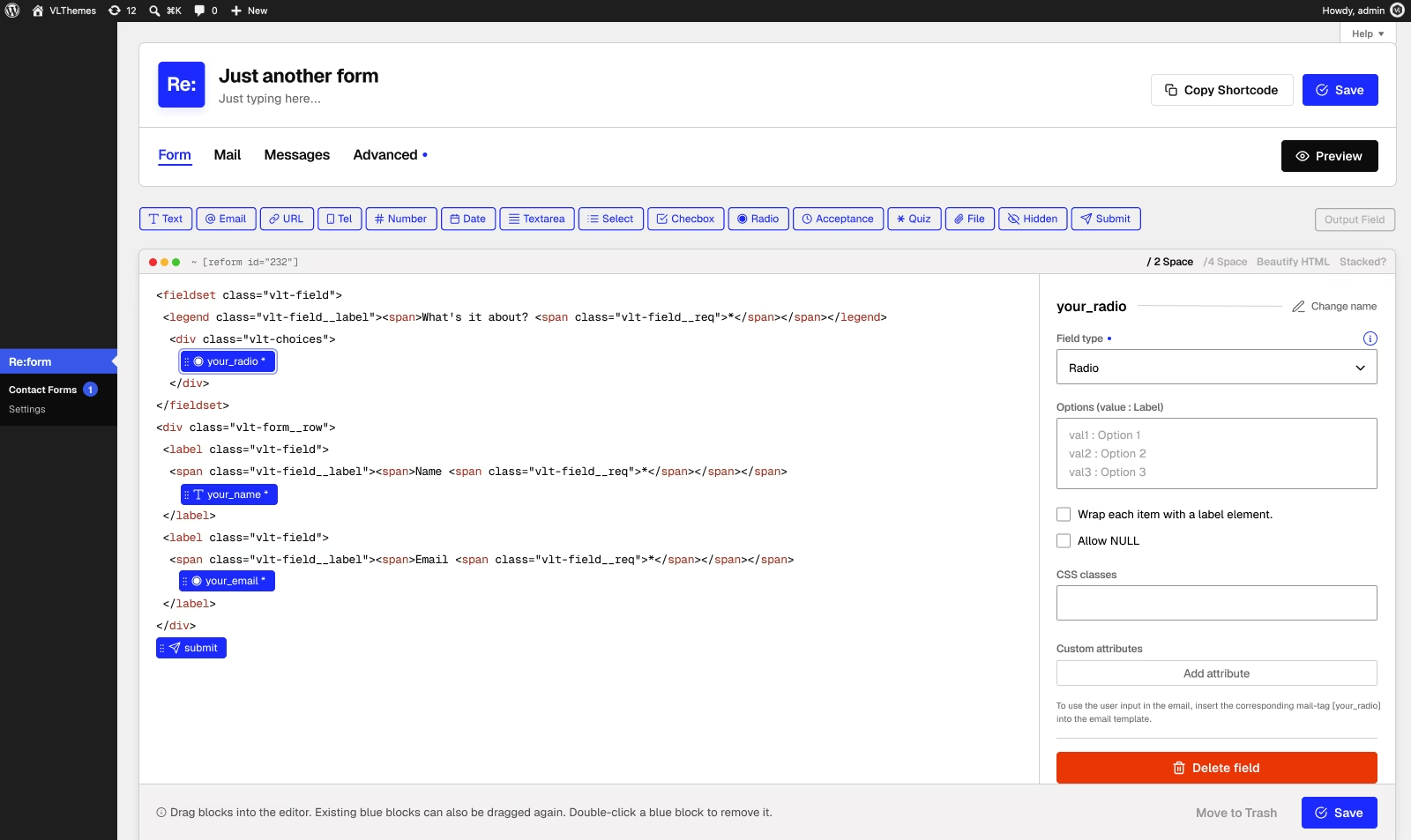
What we’re going for
We’re calling it Re:Form, and the goal is simple: native, powerful, and as few clicks as humanly possible.
- Native – it works like WordPress already works. One renderer handles both the front-end and the preview. No strange parallel stack to maintain.
- Simple – the form literally is the HTML. You write your markup, drop fields where you need them. You’re not babysitting some separate “HTML block” system.
- Powerful – drag a field in, click it to open settings, handle mail tags, validation, skins, honeypot, AJAX – all there. And if you need to go deeper, the hooks are waiting for you.
- Minimal clicks – drag, drop, done. Click a field to adjust it. Preview using your actual theme styles. Hit save. Grab the shortcode.
Why this actually matters for theme authors
Here’s the part that we, as theme builders, care about most.
You can predefine skins inside your theme – right down to the markup for each individual field type. So when someone goes to create a form, they just pick a skin, and the fields already look like they belong there. No wrestling with default form styles. No needing to tell anyone “hey, just add this class to that div.” The form matches the design automatically, and the person building it still gets a proper visual editor instead of wading through CF7’s tag soup.
That’s really the gap we kept running into: CF7 is great if you’re a developer who likes flexibility, but it’s rough for regular users, and it’s a pain to make it actually look like part of a theme. We wanted to fix both sides of that – a form builder normal people can understand, paired with skins that theme authors actually control.
Where things stand
We’re two months in. Still early days, still actively building. But the direction feels right: simple, native, powerful, minimal clicks – plus skins that make a form feel baked into the theme instead of bolted on as an afterthought.
If you’ve ever dropped CF7 into a theme and then watched a client’s eyes glaze over on that settings screen, this is being built for you.
More to come soon…