Where to find your license key and download
Gumroad
Right after the purchase Gumroad sends you a receipt with the download link and your license key. You can find both at any time:
- Log in to your Gumroad Library (use the email you bought with).
- Open the product.
- Download the files and copy your license key from the product page.
Can’t find the receipt? Check the spam folder, or log in to Gumroad with the purchase email — the library keeps all your purchases.
ThemeForest
- Log in to your Envato account.
- Hover over your username and choose Downloads.
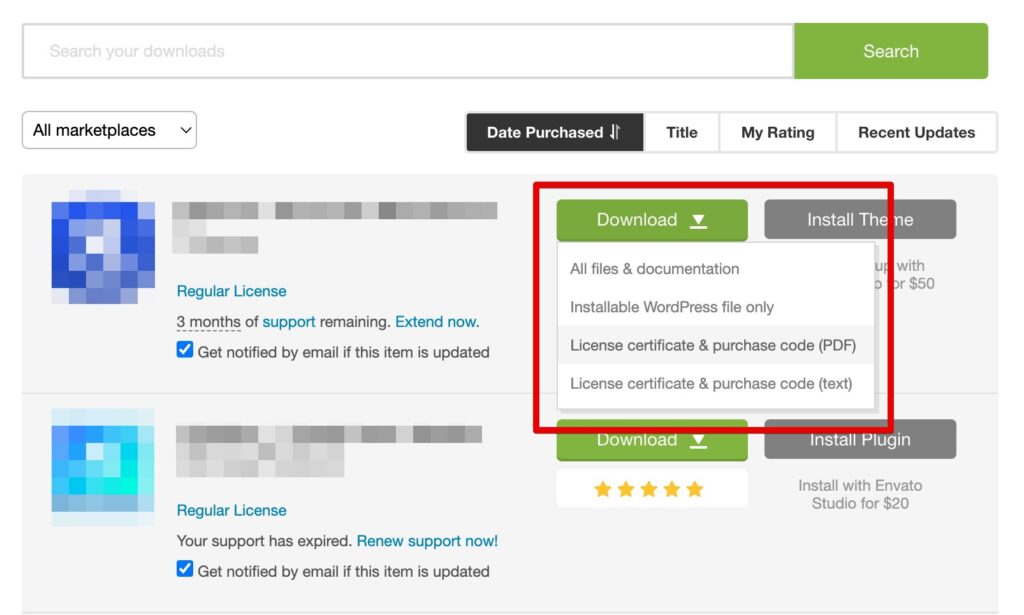
- Find the product and click Download: choose Installable WordPress file only or All files & documentation.
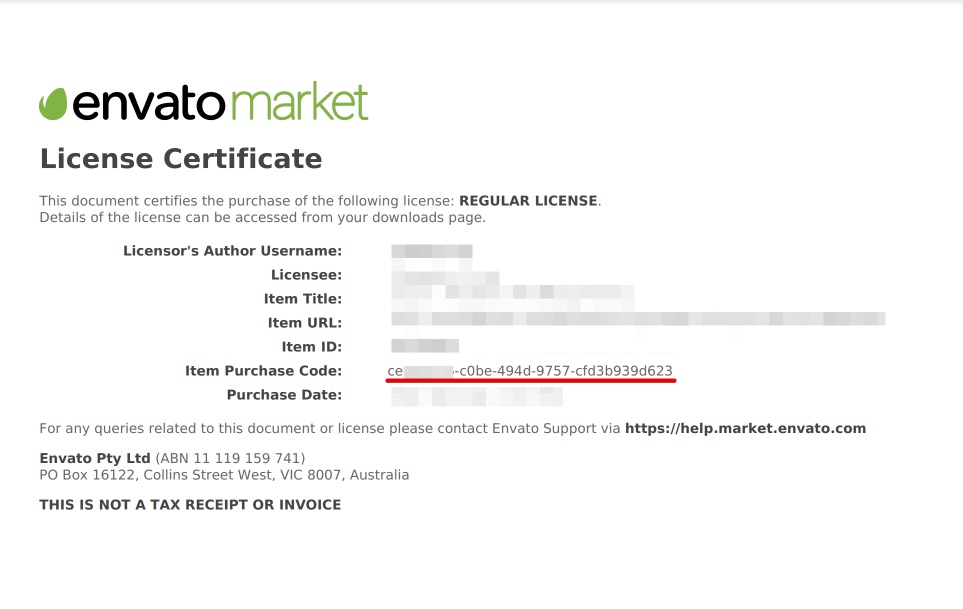
- The purchase code is in License certificate & purchase code (PDF or text).
Was this article helpful?
Thanks for your feedback!
