Where to find your license key and download link
Gumroad
Right after the purchase Gumroad sends you a receipt with the download link and your license key. You can find both at any time:
- Log in to your Gumroad Library (use the email you bought with).
- Open the product.
- Download the files and copy your license key from the product page.
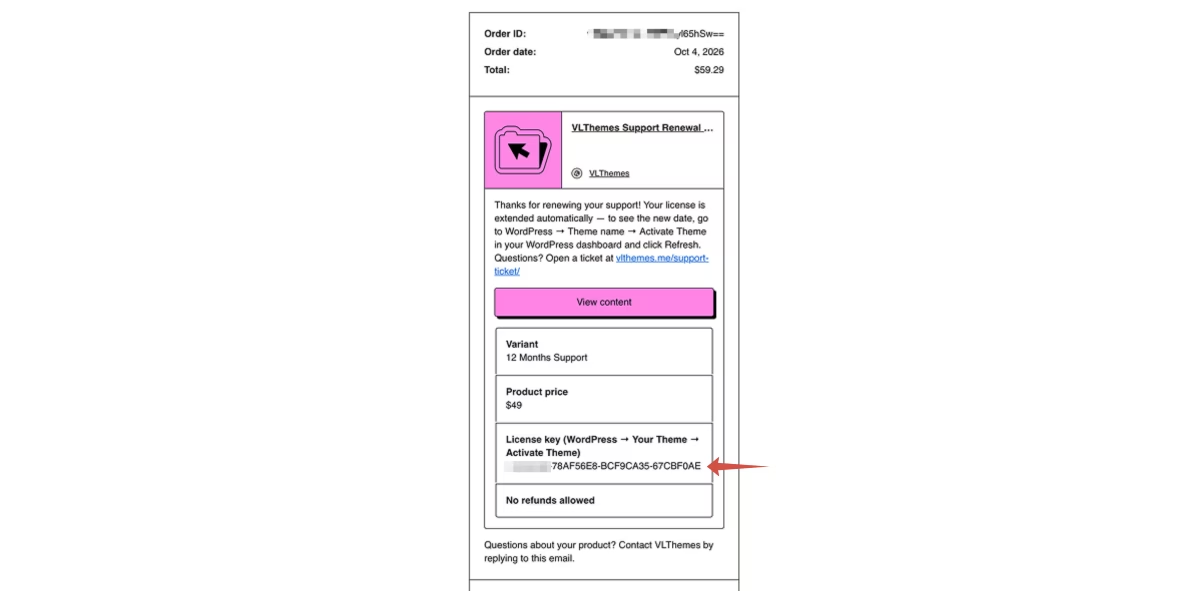
Can’t find the receipt? Check the spam folder, or log in to Gumroad with the purchase email — the library keeps all your purchases.
ThemeForest
- Log in to your Envato Market account.
- Hover over your username at the top of the screen and click Downloads from the drop-down menu.
- Find the item you need the purchase code for and click the Download button next to it.
- From the download options, click Licence certificate & purchase code.
- Choose to download the certificate as a PDF or a text file. Your purchase code is displayed in the certificate.
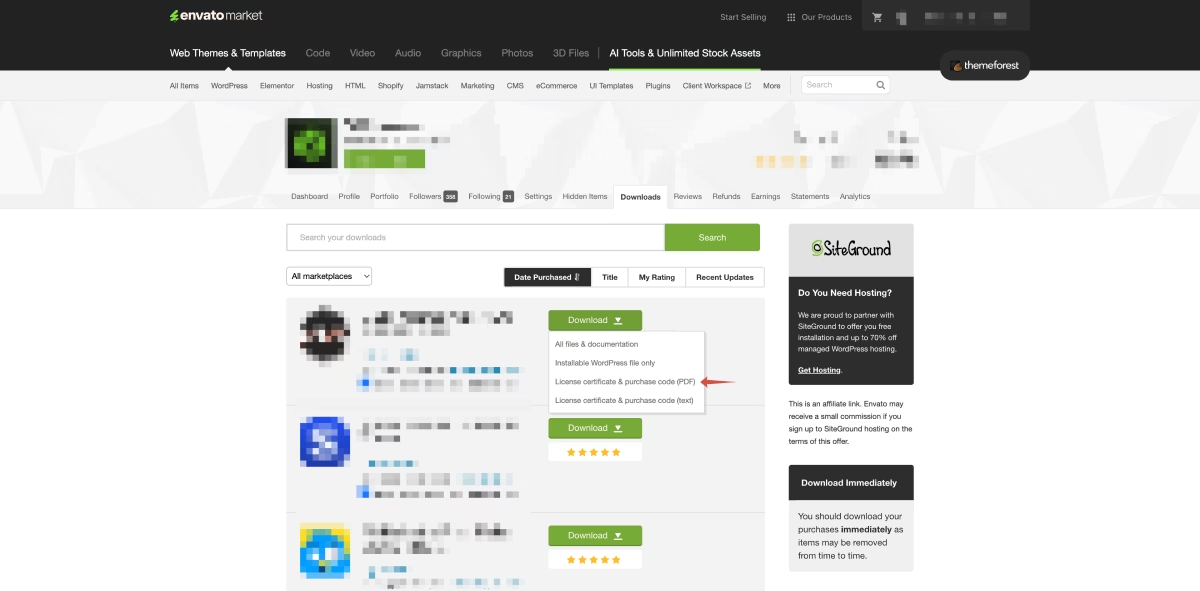
Your Envato Market license certificate shows your purchase code, the item name, the licence type, and the date of purchase.
Using a plugin that came bundled with a theme? If a plugin is asking for a purchase code but it came bundled with a theme you purchased, the plugin is not separately licensed — see: Bundled Plugins for how to handle this.
Was this article helpful?
Thanks for your feedback!