Move license to a new domain
One license works on one site. Before you move the site to another domain or reset WordPress, deactivate the license on the old site — then activate it on the new one.
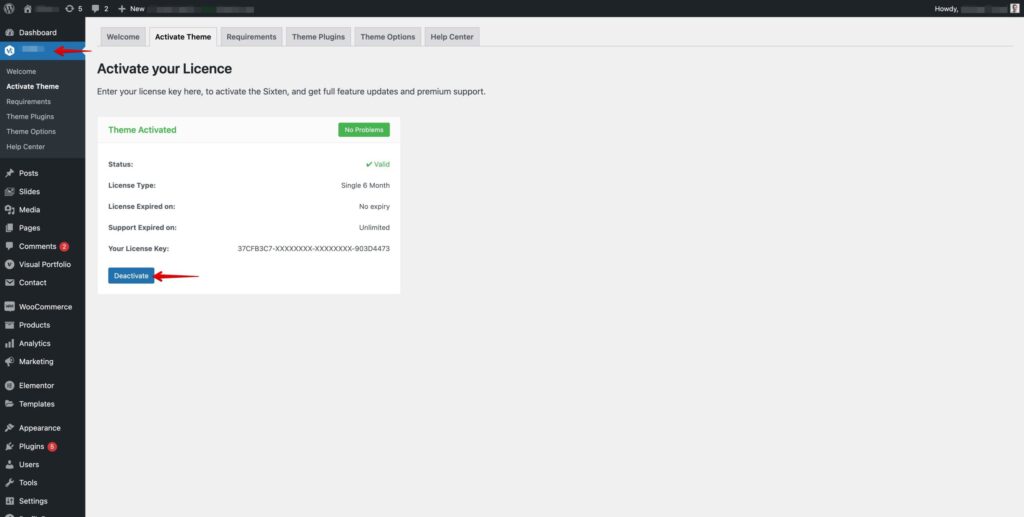
Deactivate from the dashboard
- Go to Theme Panel → Activate Theme.
- Click Deactivate.
No access to the old site?
Open a support ticket with the old domain and your license key (Gumroad) or purchase code (ThemeForest) — we will release it for you.
Was this article helpful?
Thanks for your feedback!
