Working with Elementor
Enable Elementor for custom post types
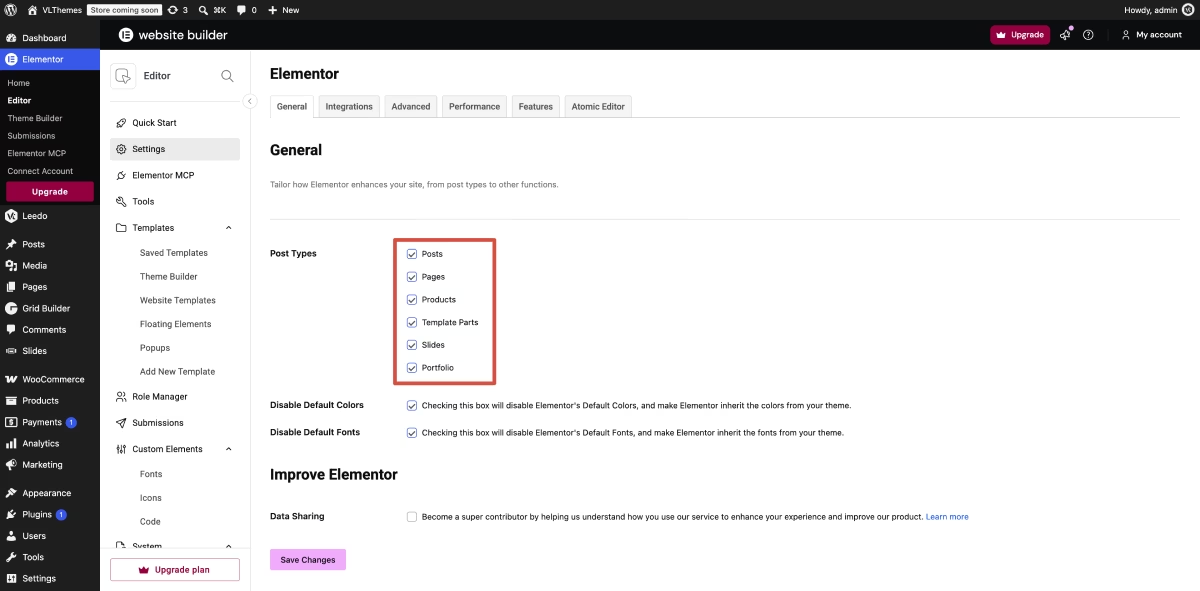
- You can enable Elementor for custom post types directly in its settings.
- Go to Elementor → Settings → General.
- Under Post Types, select the post types you want to edit with Elementor.
- Click Save Changes.
- To manage which user roles can access Elementor, go to Elementor → Role Manager.
Create a one-page menu with anchor links
Want your menu items to scroll to specific sections of the same page? You can do this with Elementor’s Menu Anchor widget.
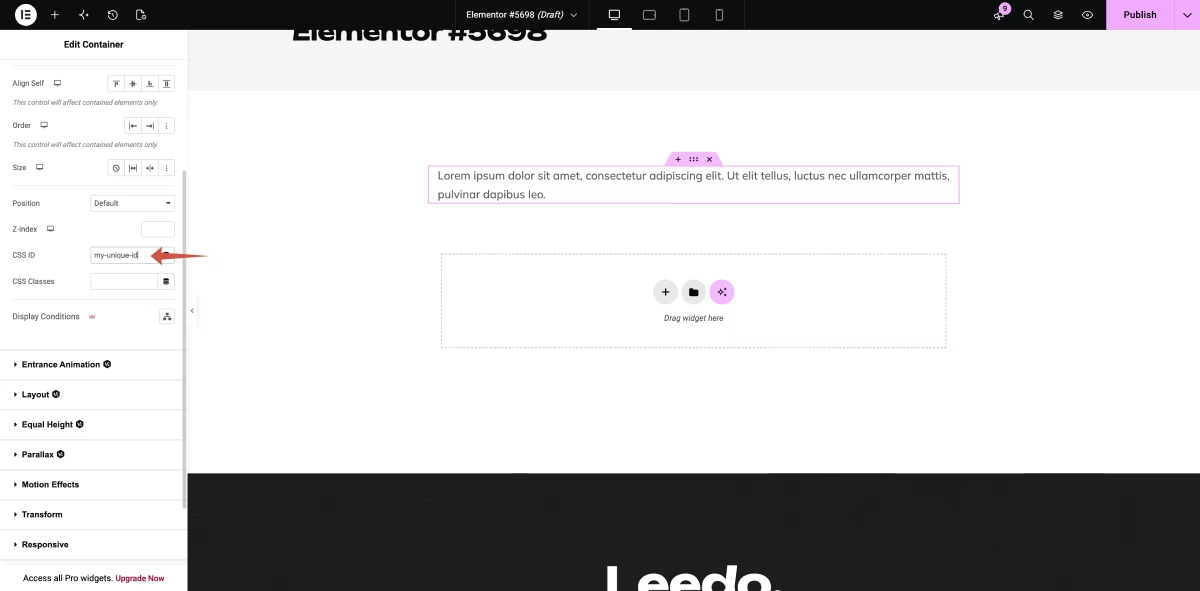
- Edit your page with Elementor and drag the Menu Anchor widget to the top of the section you want visitors to reach.
- Enter an anchor ID, such as
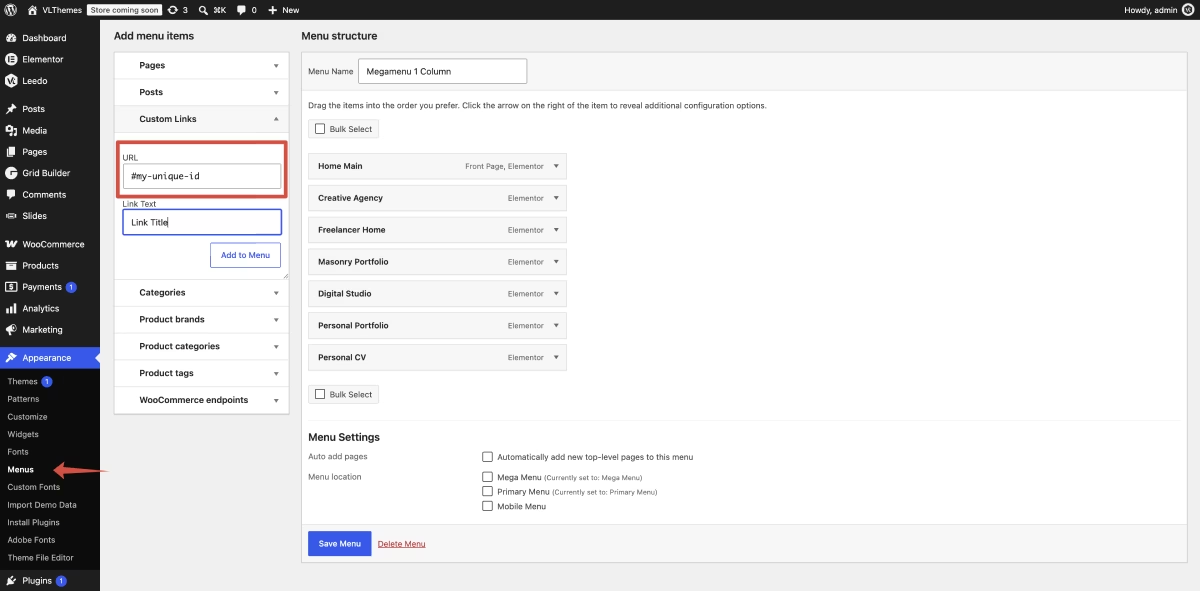
about. Use a simple ID without spaces, then update the page. - Go to Appearance → Menus, add a Custom Link, and enter
#aboutas the URL. - Add your menu label and save the menu.
Now, clicking that menu item will take visitors directly to the section with the matching anchor ID.
Was this article helpful?
Thanks for your feedback!