Working with Elementor and WPBakery
Enable the builder for custom post types
Elementor
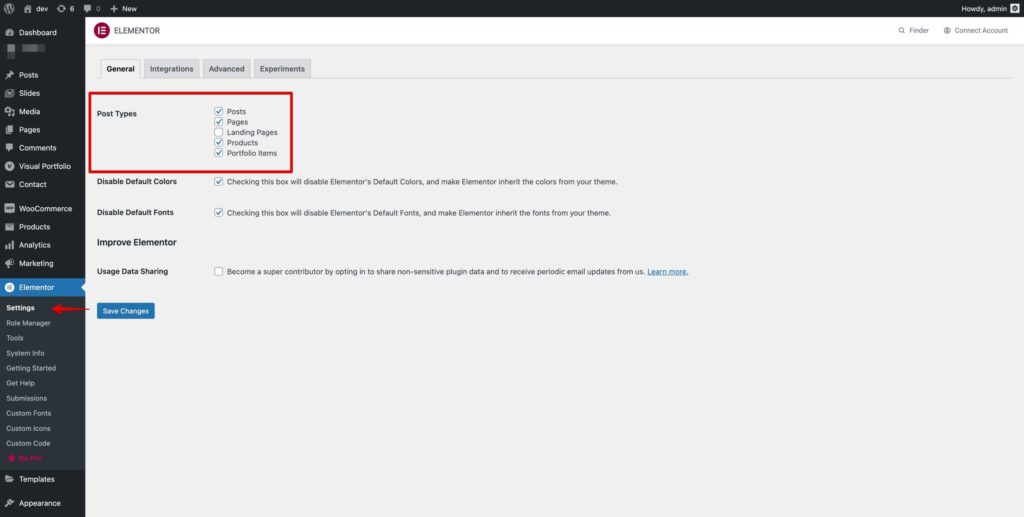
- Go to Elementor → Settings → General.
- Select the post types in Post Types.
- Click Save Changes. Access by user role is set in Elementor → Role Manager.
WPBakery Page Builder
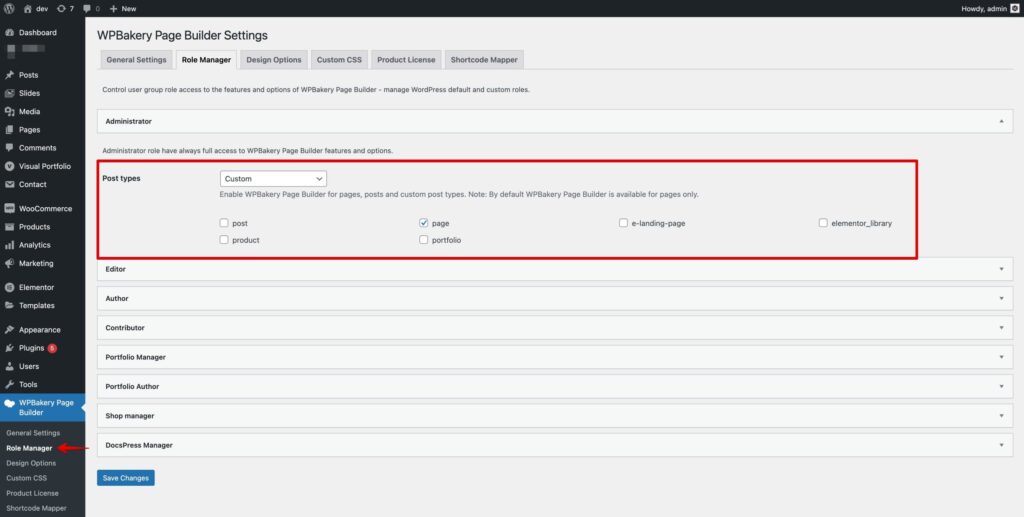
- Go to WPBakery Page Builder → Role Manager.
- Choose Custom in the post types dropdown and check the post types.
- Click Save Changes.
One-page menu with anchors
A menu item can scroll smoothly to a section of the current page. You need a Menu Anchor widget on the page and a matching menu link.
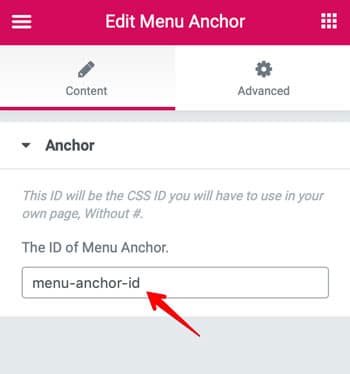
- Edit the page with Elementor and drop the Menu Anchor widget above the section to scroll to.
- Enter an ID, e.g.
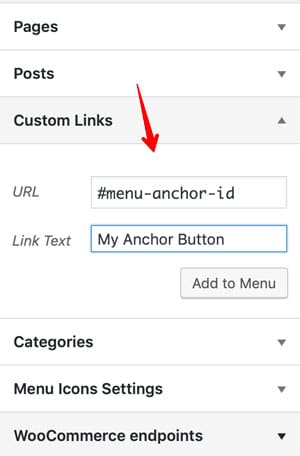
about— English letters only — and update the page. - In Appearance → Menus add a Custom Link with the URL
#aboutand save the menu.
Was this article helpful?
Thanks for your feedback!
