Translate or change theme strings
All our themes are translation ready: you can translate the interface to any language or simply replace strings like “Scroll to top” with your own. We recommend the free Loco Translate plugin.
- Install and activate Loco Translate.
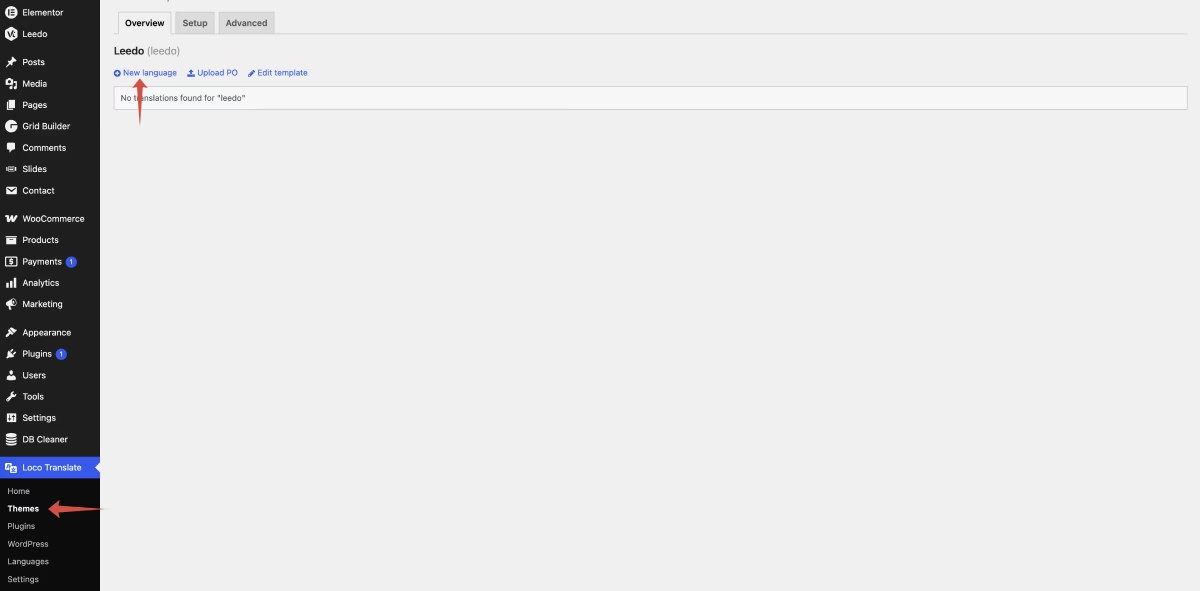
- Go to Loco Translate → Themes → {{PRODUCT}}.
- Click New language, select your target language, and choose a location to save the translation files.
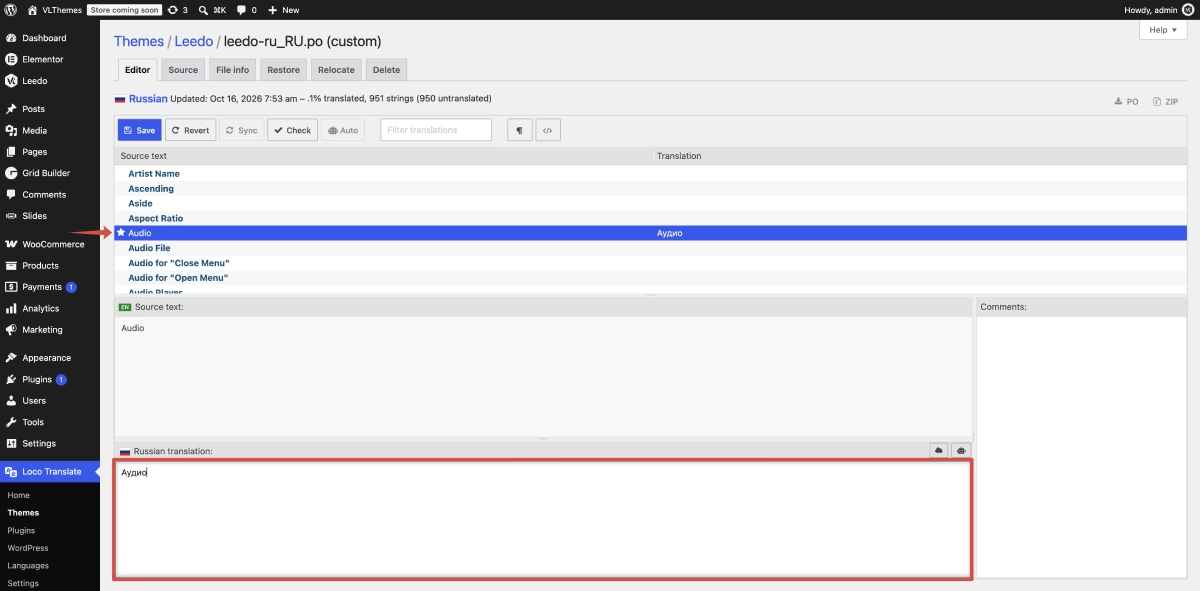
- Search for the text you want to translate and enter the translation.
- Click Save to apply your translations.
- Visit the front end and verify that the translations appear correctly.
Strings live both in the theme and in the plugins (the theme helper plugin, WooCommerce…). If you can’t find a string in the theme, look in the plugins.
Save translation files in the recommended custom location to help prevent them from being overwritten when the theme updates.
Prefer a desktop editor such as Poedit? The translation template (.pot file) is in the theme’s languages folder.
Was this article helpful?
Thanks for your feedback!