Theme activation fails
Activation doesn’t affect how the theme works — it only enables automatic updates.
Check the basics
- You use the latest versions of the theme and the helper plugin. Update them if needed: How to update a theme, then update the plugins in Appearance → Install Plugins.
- The key belongs to this theme: a license key from Gumroad or a purchase code from ThemeForest — see Where to find your license key.
- The license isn’t active on another domain. If it is, deactivate it there first.
“Response Error” during activation
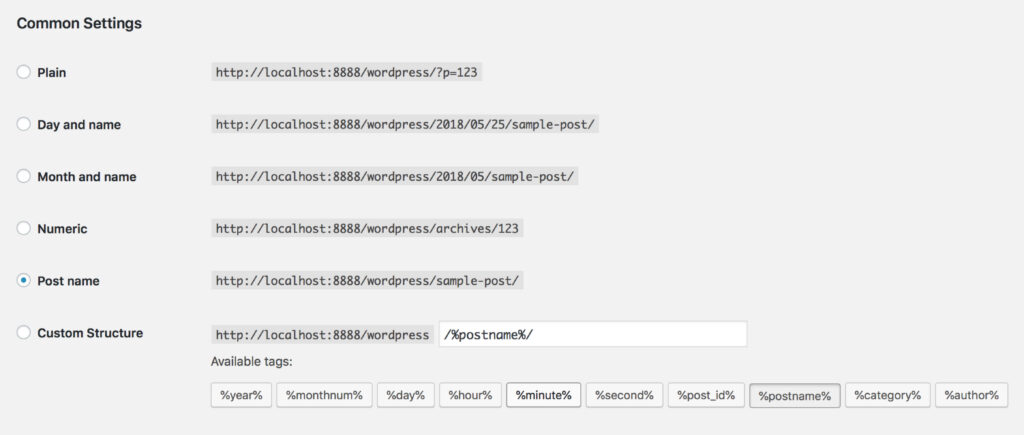
Usually caused by the permalink settings:
- Go to Settings → Permalinks.
- Choose Post name.
- Click Save Changes and try again.
Hosted on WordPress.com?
WordPress.com blocks outgoing requests to license servers, so activation can’t work there. See the differences between WordPress.com and WordPress.org; we recommend a regular WordPress host.
Nothing helped? Open a ticket with your domain and the error message.
Was this article helpful?
Thanks for your feedback!
