Child theme and template overrides
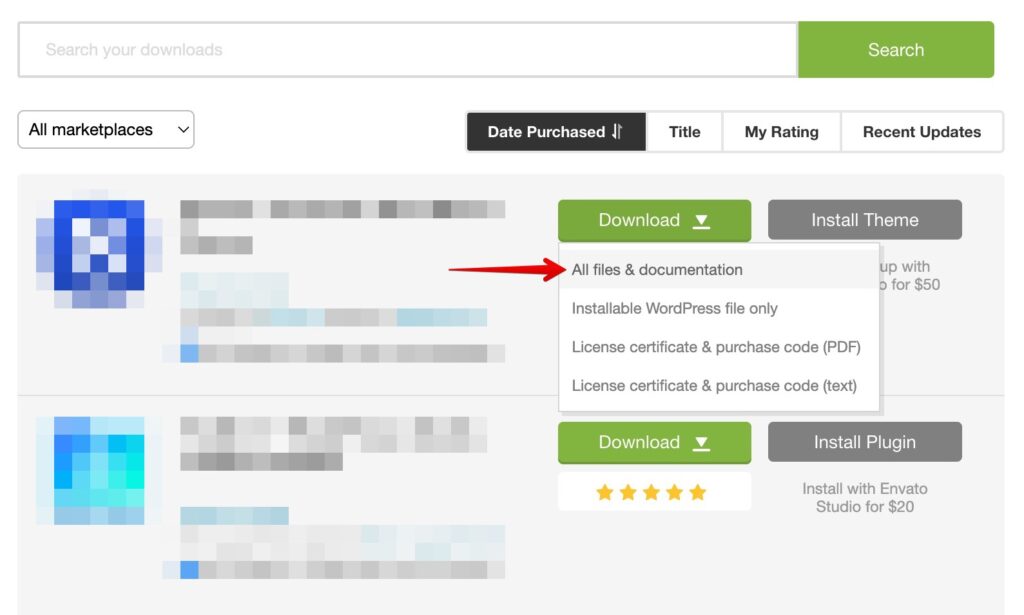
A child theme keeps your code customizations safe when the parent theme updates. Every product package includes a ready child theme — download the full package from your Gumroad Library (or All files & documentation on ThemeForest), install the child theme next to the main one and activate the child.
Override theme templates
Apart from functions.php, any file you add to the child theme replaces the same file of the parent theme. Copy the file you want to change (for example header.php) into the child theme, keeping its path, and edit the copy.
You can also add templates the parent theme doesn’t have — e.g. page-3.php for the page with ID 3. See the Template Hierarchy and the Child Themes handbook.
Rename the theme
A renamed theme no longer gets automatic updates — you will have to update it manually.
- Rename the folder
wp-content/themes/THEME, e.g. toNEW. - Open
NEW/style.cssand change Theme Name in the header. - If you use the child theme, change Template in the child’s
style.cssto the new folder name. - Activate the theme again in Appearance → Themes.
