Translate or change theme strings
All our themes are translation ready: you can translate the interface to any language or simply replace strings like “Scroll to top” with your own. We recommend the free Loco Translate plugin.
Strings live both in the theme and in the plugins (the theme helper plugin, WooCommerce…). If you can’t find a string in the theme, look in the plugins.
- Install and activate Loco Translate (Plugins → Add New).
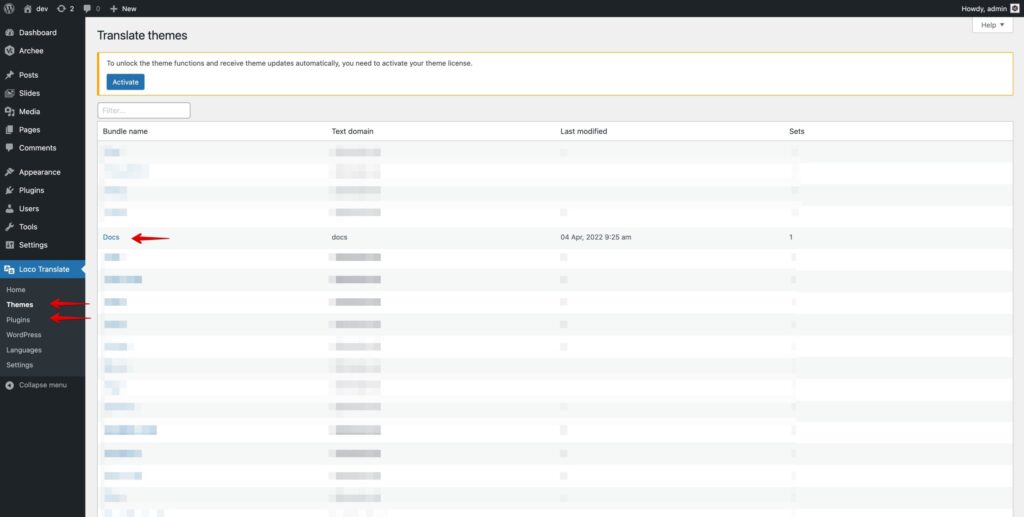
- Go to Loco Translate → Themes (or Plugins) and choose the theme.
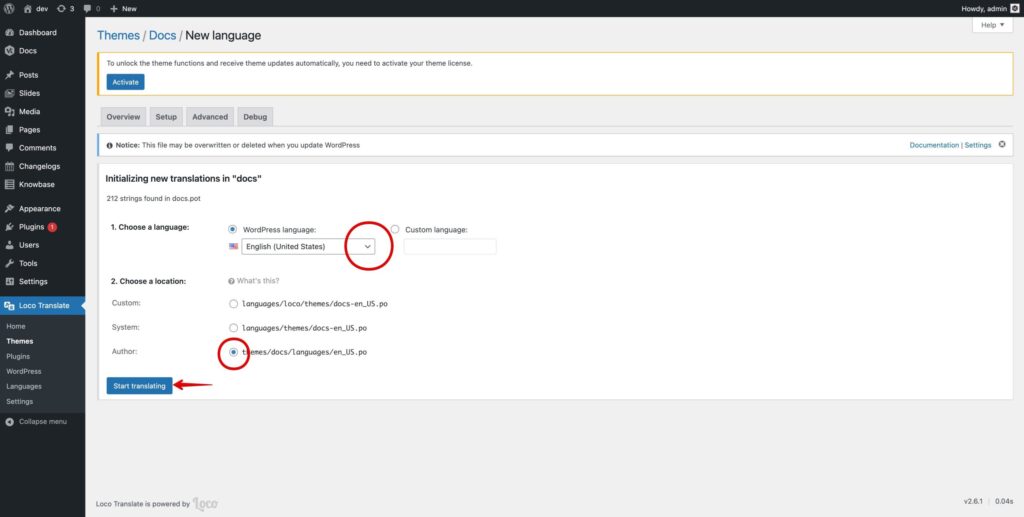
- Click New language.
- Choose the language and where to save the file.
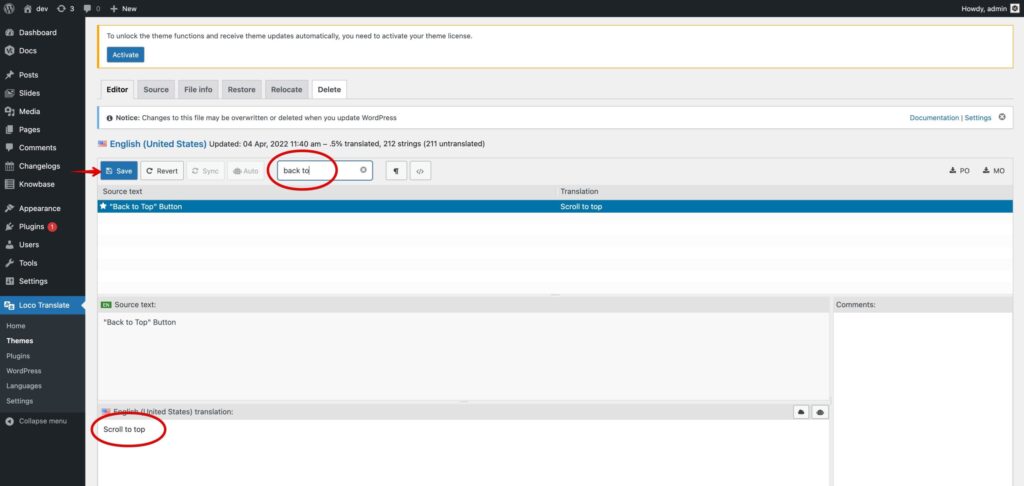
- Search for the string, enter your text and click Save.
Was this article helpful?
Thanks for your feedback!
