AI writing assistant
- Go to Settings → Connectors and enter the required API key and connection details.
- Save the settings and verify the connection.
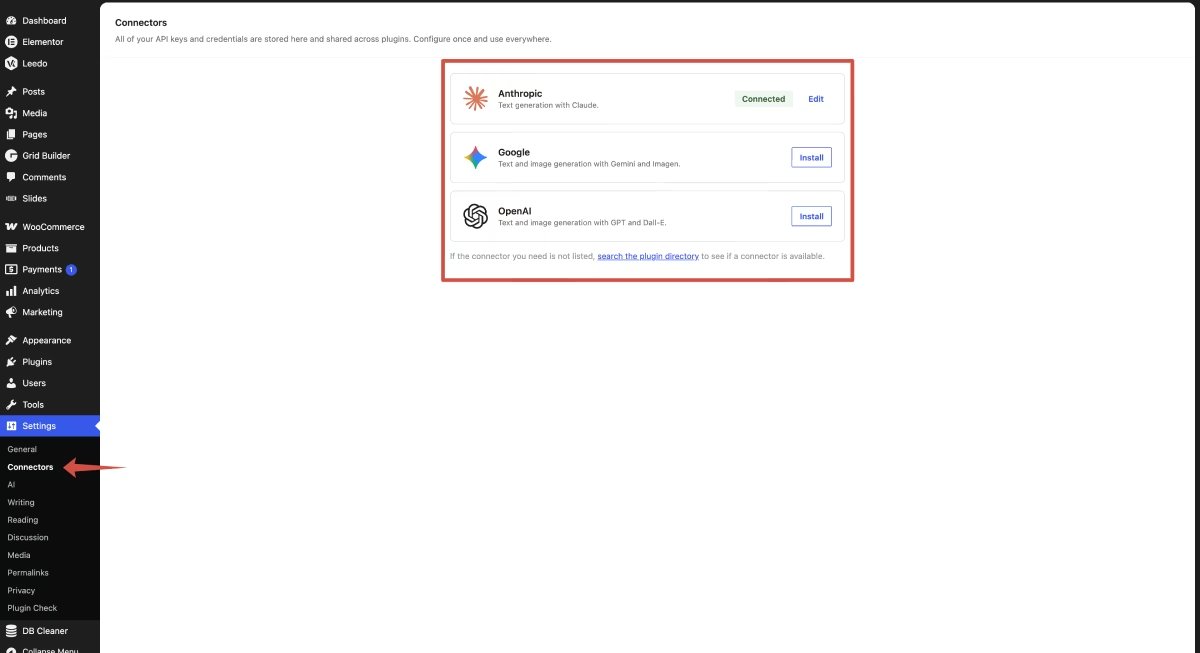
AI editing availability depends on your WP Connectors integration and supported plugins. Always preview changes before publishing.
Use it
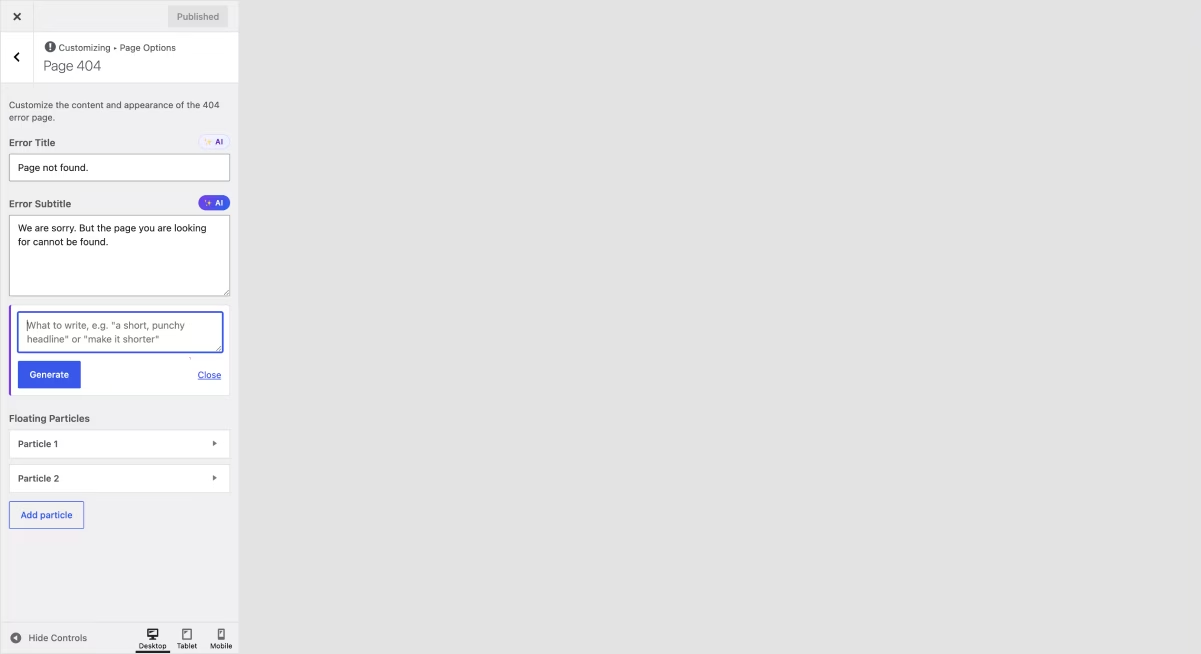
- In Elementor or Live Customizer, select a text element on the page — a heading or a text block.
- Open the AI assistant and describe what to write, for example “a short About text for a design studio”.
- Click Generate, then Insert to put the text into the selected element.
Was this article helpful?
Thanks for your feedback!