Import the demo content
Import a demo in one click to start from a ready-made site instead of a blank page.
Before you start
Ask your host to raise these PHP limits if they are lower:
post_max_size 512Mupload_max_filesize 512Mmax_input_vars 5000max_execution_time 300max_input_time 300memory_limit 512M
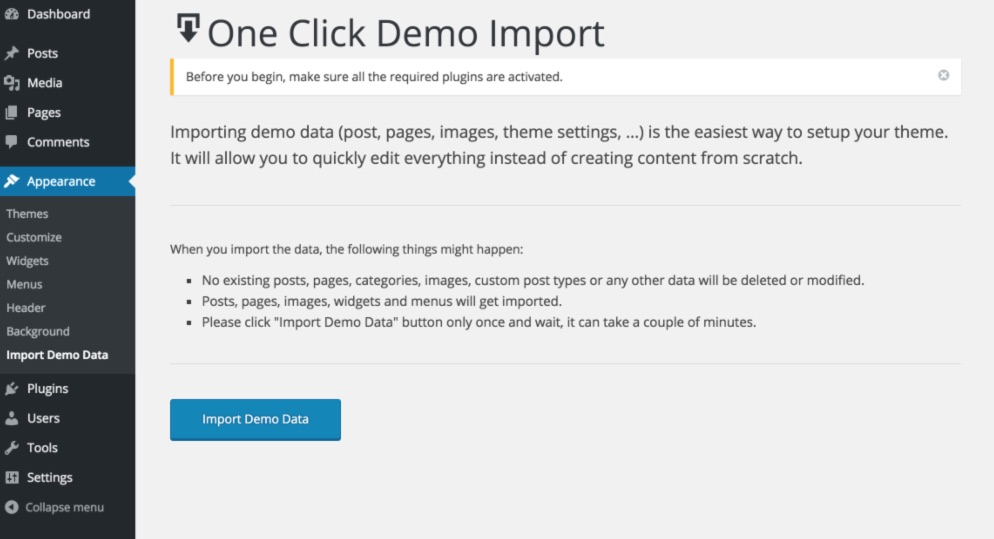
The import adds pages, posts, images, menus, widgets and theme settings. Nothing you already have is deleted or changed, but importing into a fresh install avoids duplicates.
One-click import
- Make sure the One Click Demo Import plugin is active.
- Go to Appearance → One Click Demo Import.
- Click Import Demo Data once and wait — it can take a few minutes.
The import skips resized images to save time. Afterwards, run Tools → Regenerate Thumbnails to create them.
Manual import
- Go to Tools → Import → WordPress and install the importer if asked.
- Choose
demo-content.xmlfrom the Demo Content folder of the package. - Check Download and import file attachments to get the demo images.
- Click Upload file and import.
Was this article helpful?
Thanks for your feedback!
