Update Leedo
We release free updates for Leedo to keep it compatible with new versions of WordPress and to add features. Always back up your site before updating.
Automatic updates
With an active license, updates arrive like any WordPress update: go to Dashboard → Updates and update Leedo.
Upload the new version
- Download the latest Leedo theme zip.
- Go to Appearance → Themes → Add New Theme → Upload Theme and choose the zip.
- Click Install Now, then Replace active with uploaded.
Update via FTP
- Download the latest Leedo theme zip and unzip it.
- Connect to your server via FTP or SFTP and open
wp-content/themes/. - Replace the old theme folder with the new one.
Envato Market plugin
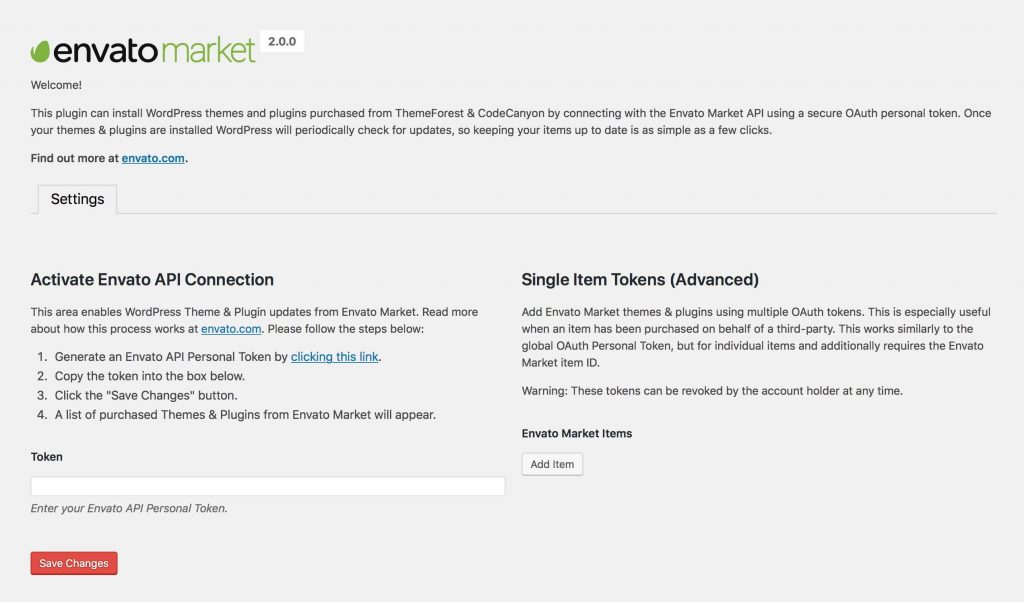
Bought on ThemeForest? The Envato Market plugin updates all your ThemeForest and CodeCanyon items from the dashboard.
Your settings, pages and Customizer options are kept on update. Changes made directly in the theme files are lost: put them in a child theme.
Was this article helpful?
Thanks for your feedback!
